
A tool for a brain
that does not hold focus on its own.
Most apps forget you between visits and assume tomorrow you will be the same person you are today. moinaki is built on the opposite assumption: days differ, energy differs, and the work still has to move.
A mentor who remembers
Long memory instead of one more chat window.
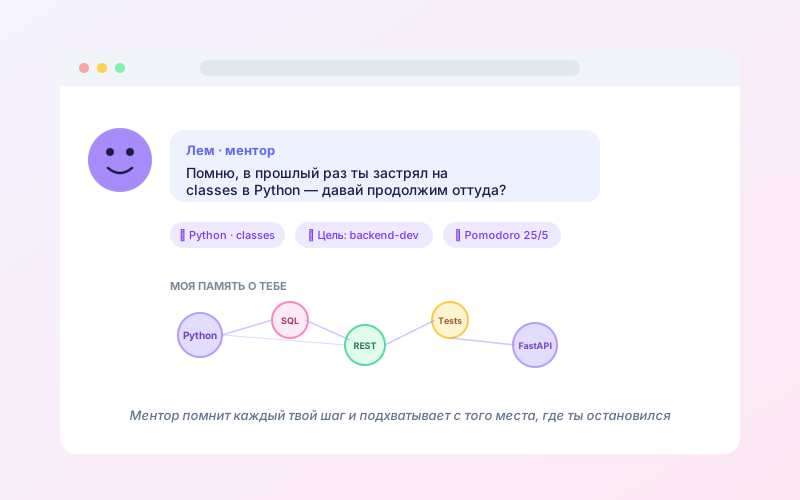
Most AI helpers start every conversation from zero. You explain again who you are, what you are working on and why it is hard. For someone with ADHD that is not a small annoyance, it is precisely the work where everything usually falls over.
Lem is built on a layer of long memory. He quietly keeps your pursuits, deadlines, patterns and decisions, then factors them into every answer. Everything he knows about you can be read and corrected on its own page.
- ✓Remembers your pursuits, your deadlines and the way you phrase things
- ✓Notices where you stall and offers a different angle
- ✓Picks up exactly where you stopped, even after a long pause
- ✓Belongs to you alone. Your data does not train general models.
Step by step
How a first week usually goes.
No locked tracks and no compulsory order. Just what happens when you follow whatever matters right now.
- 1
1. Say what brought you here
In ordinary words, with no questionnaire and no test. Lem listens and turns it into a pursuit you can already work with.
- 2
2. Get a plan for today's version of you
Stages, tasks and a first step that fits inside a real day. It is a proposal rather than a verdict, and all of it can change.
- 3
3. Move in short runs
Steps of five to twenty minutes, pomodoro sized to your current charge, and low energy mode for the hard days.
- 4
4. Learn where you stalled
When a step needs a skill, a short lesson about that step arrives. If you want the depth, the full course sits beside it.
- 5
5. Watch the map assemble
Pursuits, confirmed skills and a history of decisions collect in one place. After a month this stops being an empty planner.
- 6
6. Come back after the collapses
Pause, a return screen, a smaller version of the work. No counting of missed days and no reminders about what you owe an app.
Three doors
How to choose where to begin.
Freezing in front of an endless catalogue is not really possible here.
From the work
Describe where you want to get to. Lem assembles the stages, the tasks and the first step for today.
From the question
Say what is in the way right now. Lem offers the next step and finds material that fits it.
From the catalogue
The old fashioned way: browse topics, professions and levels. Any course drops into a pursuit in one click.
Not working out?
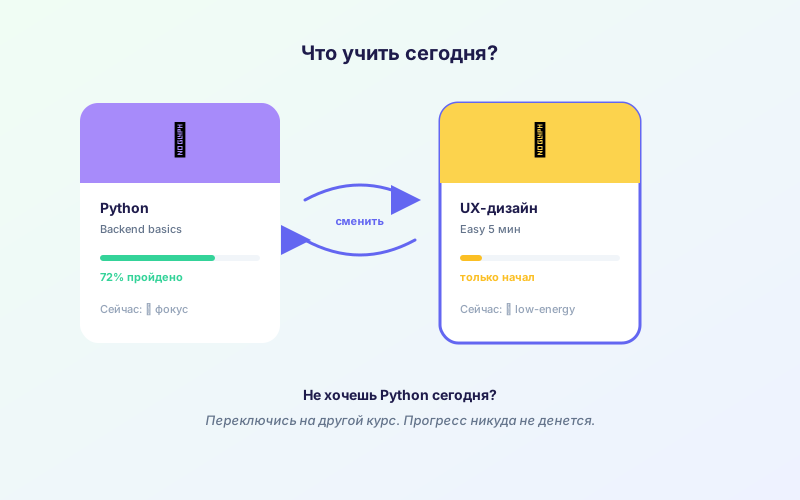
Swap it. Any time. No drama.
If a course drags, moves too slowly or sits too far from the work, park it. Lem finds another one covering the same skills, often shorter, and carries your progress across.
Nobody punishes a swap here with broken progress or a lost streak. The skills are yours and never belonged to the course you happened to open.
What makes moinaki different
Built around how people actually live.
Memory that holds
Lem keeps your context for as long as you need it. No explaining yourself again every Monday.
One thing for today
Today shows one main step. A backlog of forty-seven items simply does not fit on the screen.
Short runs
Pomodoro sized to your charge, micro lessons, and low energy mode for the hard days.
Skip what you know
Pass the test, confirm the skill, move on. Time counts as a resource here.
Five kinds of pursuit
Project, health, learning, practice and maintenance, each with its own way of being run.
Privacy by default
GDPR compliant. Your data is yours, we do not sell it and we do not feed it to general models.
Six habits the platform takes on for you
Each one is a study habit you would normally have to build yourself. Here the boring part is done for you. Read it as a checklist for getting more out of every session.
- 01
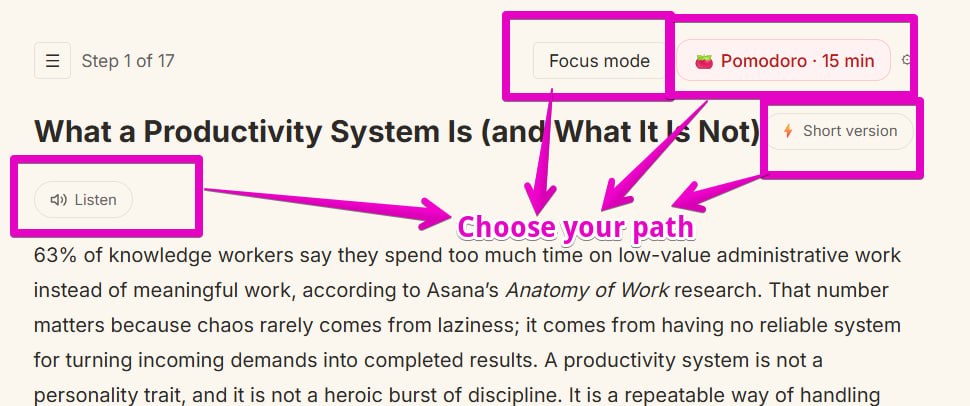
Every lesson on your terms
Several modes on a single lesson: listen to it as audio, hide the sidebar in focus mode, run a fifteen minute pomodoro, or switch on the short version when you need a quick pass.
- 02
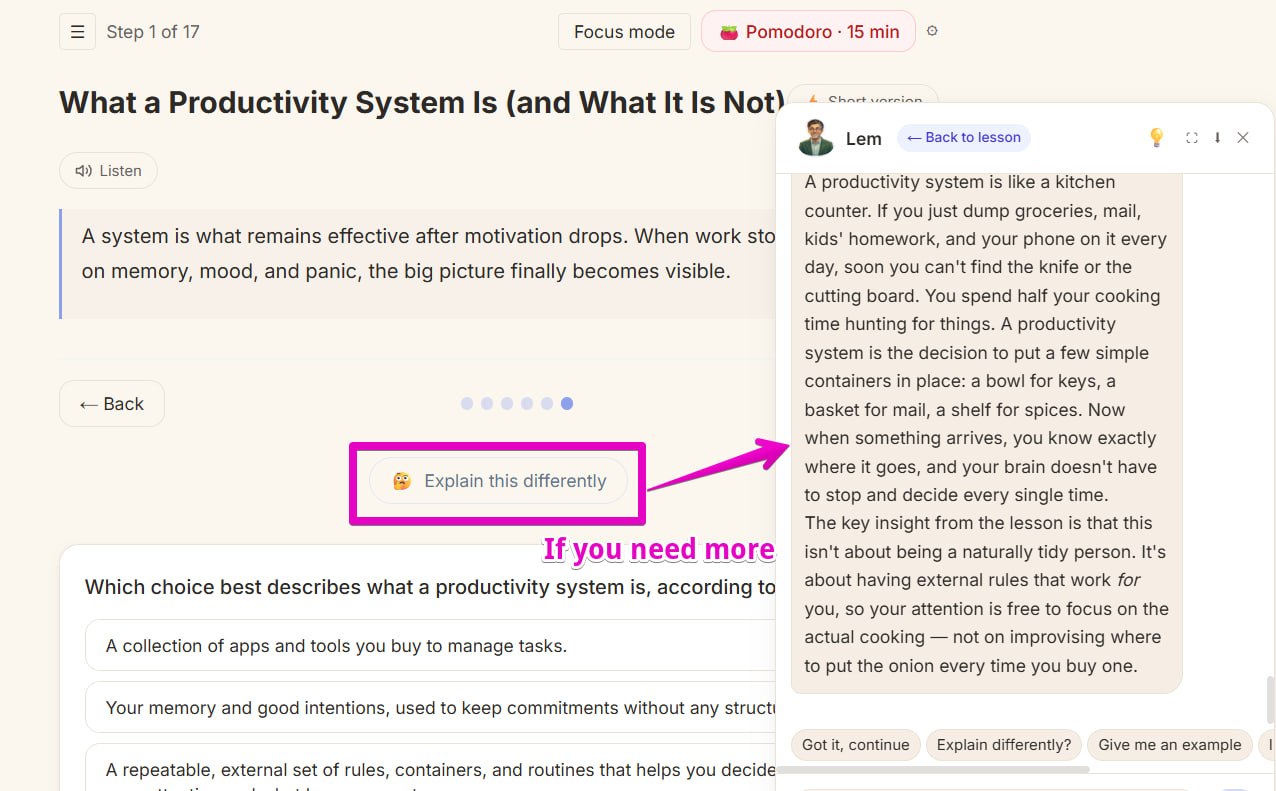
Not landing? Ask for another angle
When an idea refuses to sit, press explain differently. Lem repacks it through another metaphor, and that version is often the one that finally works.
- 03
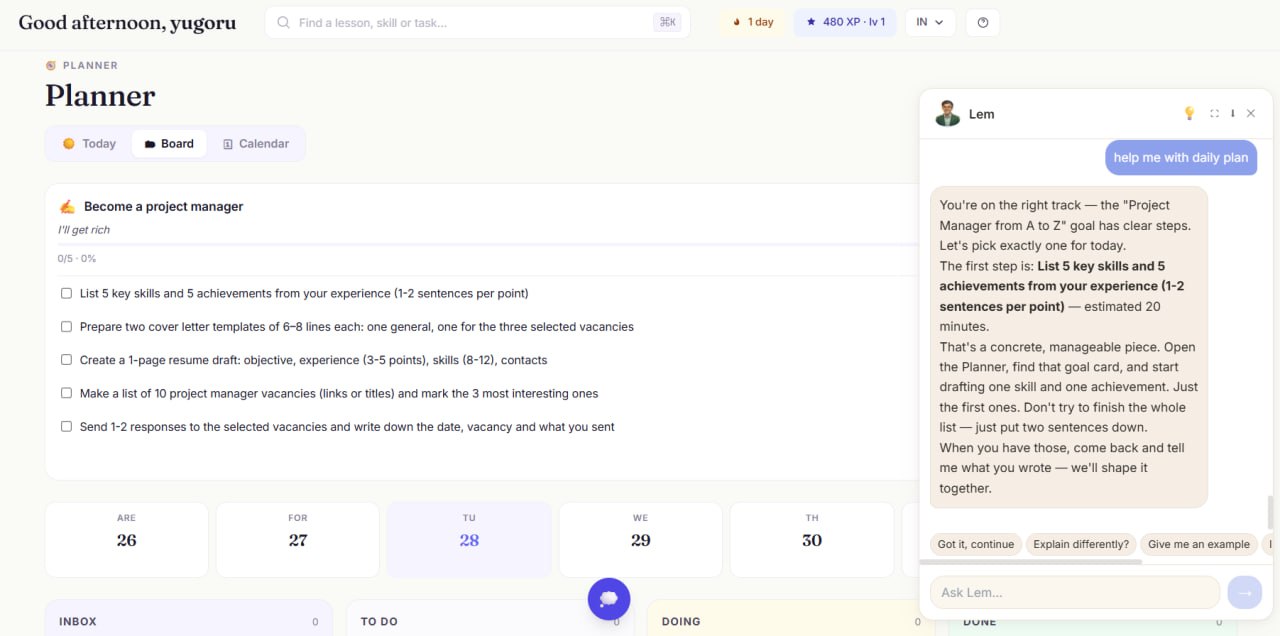
One step, chosen for today
You drop in a big pursuit and Lem turns it into the next twenty minute action. Too big, say smaller. The planner protects you from blank page paralysis.
- 04
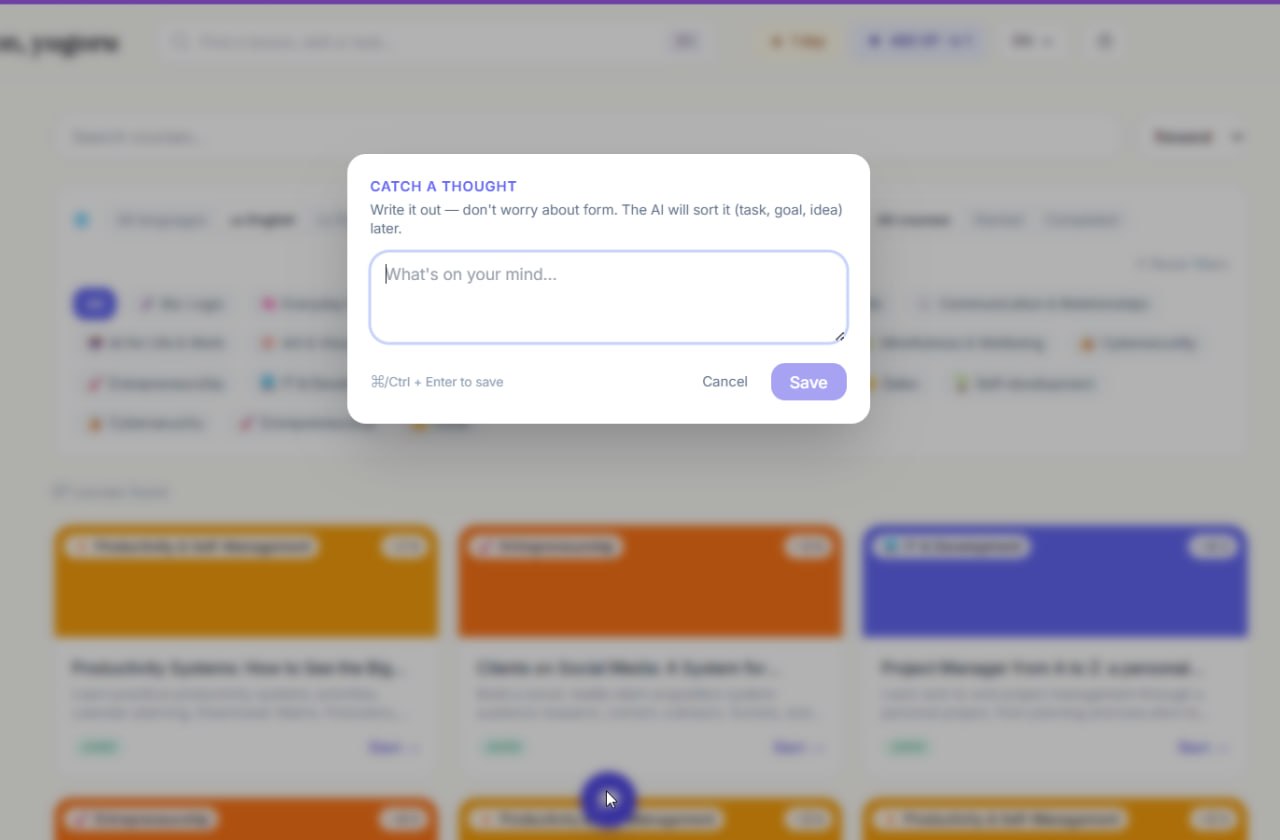
Do not lose the thought
Catch the idea the moment it appears. Drop it into a brain dump and carry on working. Lem sorts it out later.
- 05
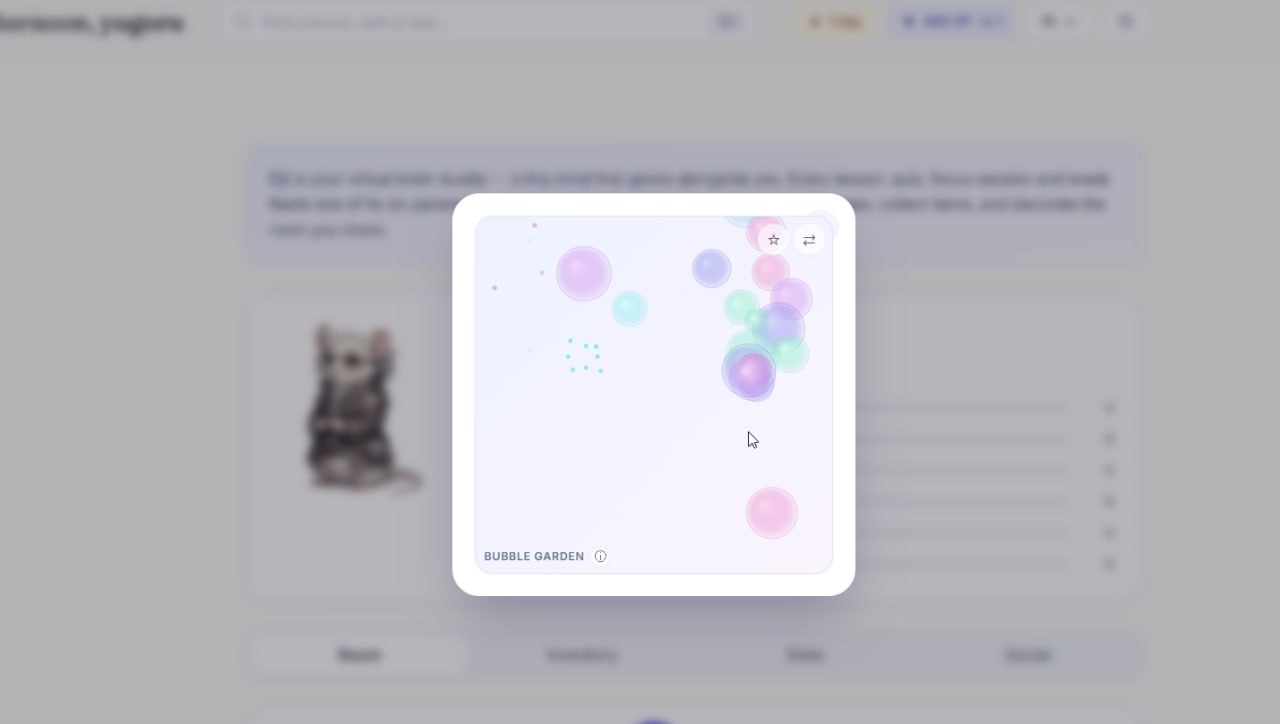
Sometimes you just need to breathe out
When focus goes, productivity tricks will not bring it back. Sixty quiet seconds will: pop the pastel bubbles in Bubble Garden and the next run goes easier.
- 06
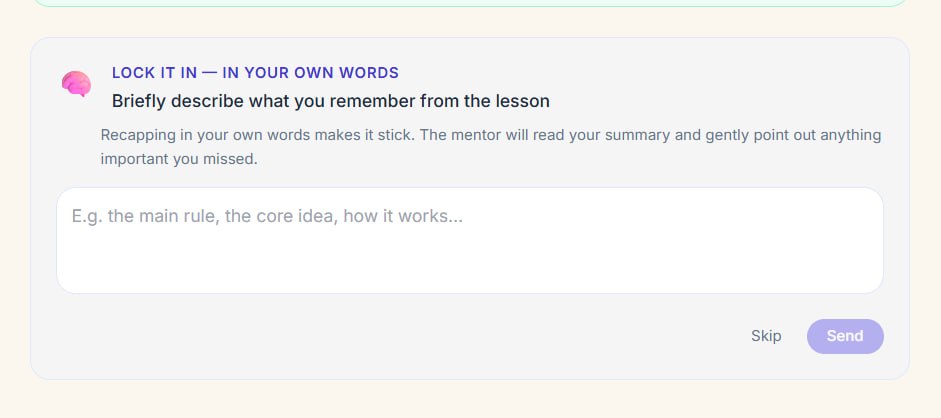
Retell it to Lem
After a lesson, retell it in a sentence or two. Lem reads it and gently marks what slipped. Dull science calls this active recall and it beats rereading.
A real company, honest technology, respect for your data
Made by GradeBuilder SL
A registered Spanish company stands behind the platform, CIF B75608927. Not an anonymous app out of nowhere.
GDPR and LOPD compliant
Data is stored in the European Union, EU users run on a GDPR safe model, and consent for AI processing can be withdrawn at any point.
Certificates you actually earn
Complete a profession map and get a certificate you can share. It confirms skills rather than hours sat through.
Your data, your call
Export or delete everything stored, any time, straight from the privacy centre.
Ready to try it?
14 days free, no card. Start when you are ready, Lem is already there.