
For adults with ADHD
A system that does not break when you do
Five minute lessons. One thing for today. A plan that stretches around a bad week. A mentor who remembers where you stopped and why. Streaks never burn down here for a simple reason: there are none.
14 days free, no card. Leaving takes two clicks, and no email about how much we miss you follows.
You probably know this one
- You set a goal, and a week later your brain honestly cannot recall why it ever wanted it.
- You missed one day, the app showed a red zero, and opening it stopped being appealing.
- At the end of the month it feels like you never stopped, and there is nothing to point at.
What changes in practice
On the left, what is inside. On the right, why it sits well with a brain that cannot hold fixed rules.
- No streaks to protectOne miss is a Tuesday and not a catastrophe. The plan keeps moving, with no red zeros and nothing crossed out.
- Three versions of every pursuitA safe one for a bad day, a working one for an ordinary day, a bold one when you catch the wave. You choose in the morning rather than a month ahead.
- Brain dump in one clickAn idea is caught in a second from any page, with no form and no fields. For people whose thoughts outrun their fingers.
- Tighten, stretch or rebuild the planA bad week stretches it, a caught impulse tightens it. Nothing needs rewriting from scratch.
- A calendar with an energy layerLow days are marked in advance, before you drop a call or a deadline into one of them.
- Lem, a mentor with no sermonHe never tells you to pull yourself together. He asks what is in the way and offers the next step. Context survives between sessions.
- Pause instead of another failureA pursuit goes on pause with no sense of failure and your progress stays where it was. You come back when you come back.
- Five kinds of pursuitHabit, project, learning, practice, maintenance. Each has its own shape, and none of it gets forced into one template.
- Pomodoro at 15, 25, 45 and 60 minutesSized to your current charge rather than one standard for everyone. Sometimes focus lasts fifteen minutes, and that is still focus.
- Lem remembers what not to suggestTell him to stop offering you morning runs and he stops. It will not be forgotten two days later.
What got calmer recently
A few things we finished lately, with ADHD in mind.
One calm interface
The whole surface was rebuilt in soft lavender, with a cleaner and more readable typeface. Less visual noise means fewer reasons to drift away from the thing you chose.
Say it and Lem builds it
Describe the pursuit in ordinary words and Lem assembles a real one in the chat, with stages and a first step. No forms and no setup screens you want to close.
Your day in one place
Today's step, your pursuits, your notes and your calendar now sit together rather than scattered across five apps you still have to remember to open.
What comes next
Specific and named, with no promises about big things ahead.
An "I cannot start" button
One tap when you are stuck. A short read of your particular reason, with no general motivation and no cheering.
Morning mode
One screen, one task, no menu. For days when choosing is already the obstacle.
A wins log
A monthly summary of what you actually did. So working memory cannot convince you the month went nowhere.
An analogue timer
A shrinking wedge instead of digits. Digits slip past you, while a wedge stays visible in peripheral vision.
We will ship these or say plainly that we will not. Dates appear when they become real.
What it actually looks like
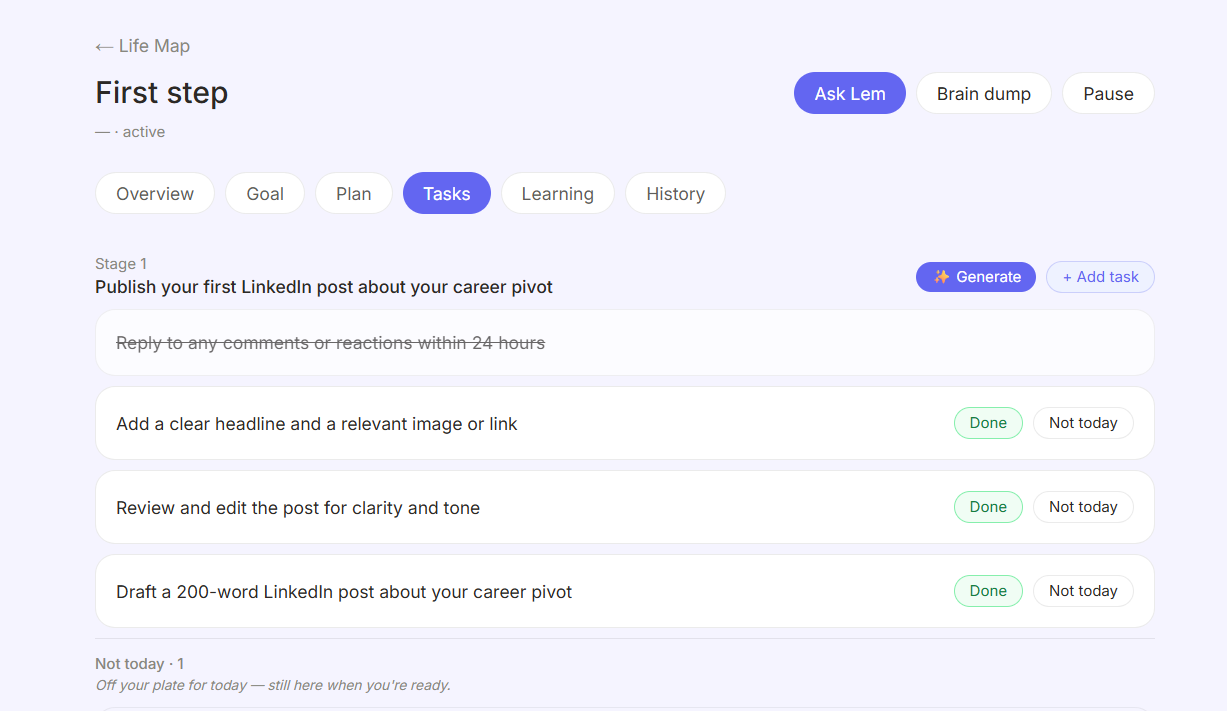
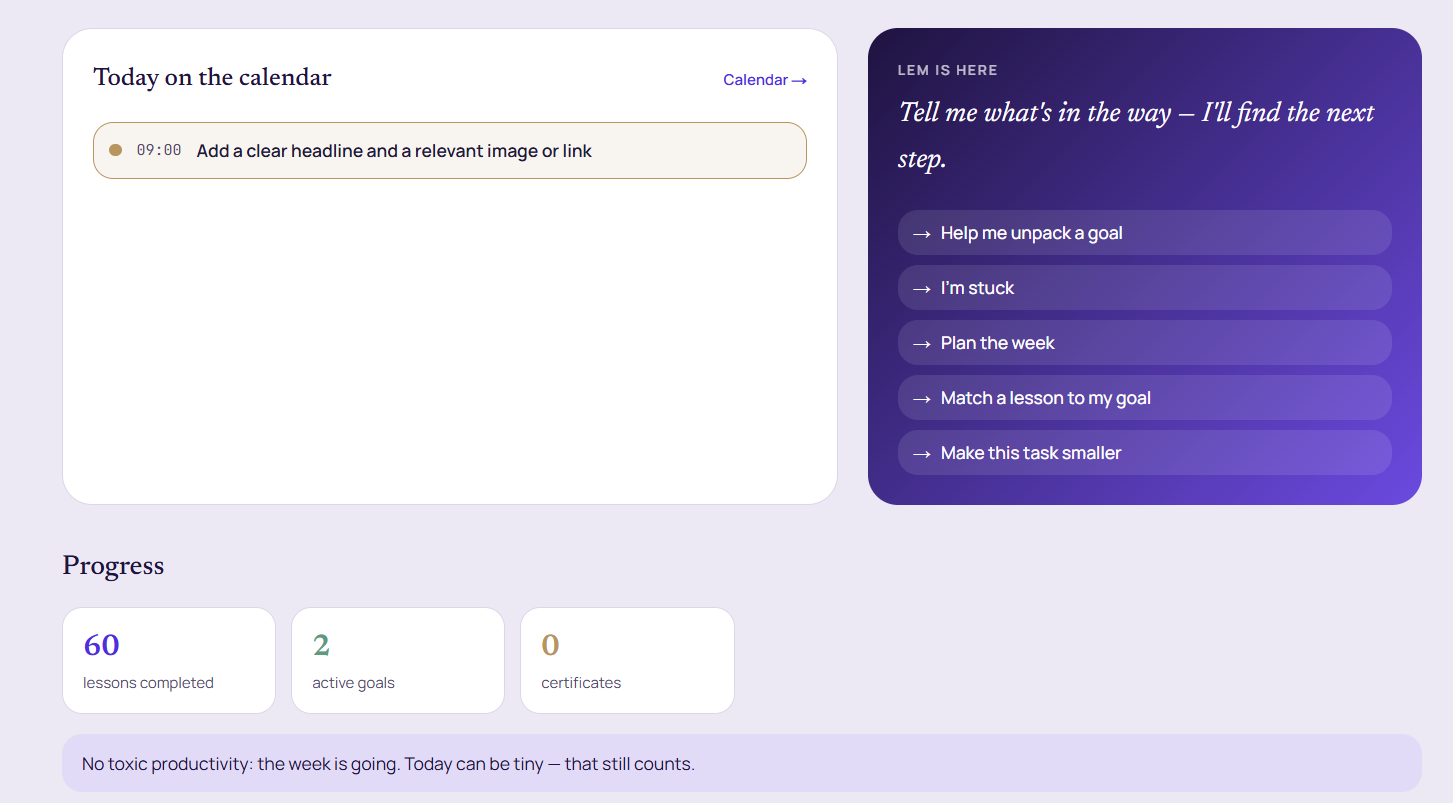
Screenshots from the product rather than rendered mockups and quotes from happy users.
What people usually ask
Will there be guilt pressure?
No. Progress never burns down, tasks never pile up in red, and Lem never writes that you failed again. If something here feels like guilt pressure, that is a bug and we want to hear about it.
Do I need a diagnosis?
No. Self identification is enough and we do not ask for paperwork. Everything described above is open to everyone.
Does moinaki treat ADHD?
No. This is a platform for learning and running your pursuits. It is not a medical tool. We do not diagnose, we do not treat and we do not replace therapy or medication.
Can I use it alongside a therapist or doctor?
Yes. The data is yours: export or delete all of it from the privacy centre in one click.
What do I do when a week goes badly?
Put your pursuits on pause, switch to the safe version or stretch the plan out. All of it is built in, and you owe the app nothing.
What if I am autistic?
A predictable order of screens, explicit rules instead of hints, and no popups arriving mid task. Sensory load comes down with reduced motion and a calm palette.
Is there a mobile app?
The web and mobile web versions work today. An installable web app is planned, and there is no separate native app yet.
What moinaki is not
moinaki is a platform for learning and running your pursuits. It is not a medical device. We do not diagnose, treat or prevent any condition, and we do not replace professional medical advice, psychotherapy or medication decisions. If you are in a mental health crisis, please reach a qualified professional.
Try fourteen days. If it does not land, you leave in two clicks.
The first step prompt can be skipped. The main screen is one click away.